Wullie, Yer Local Groundskeeper
Introducing Wullie , an opinionated tool for managing dependency requirements in Rust, Python, and JavaScript projects.
I've been pretty annoyed with the state of dependency management, particularly in JavaScript, for a while now.
Esoteric hieroglyphics like
~
and
^
might be a handy shorthand to speed up development;
just pick a recent version, tell the system "no older than this", and let 'er rip!
When
a vulnerability
strikes
, however,
as
they
increasingly
do, understanding exactly what's running on your server or in your app is infinitely more useful than a suggestion as to what
might
be running there.
I've never loved relying on SaaS tools such as Greenkeeper or Dependabot to keep everything in check, but they were a reasonable option for a while. Ever since Snyk bought out Greenkeeper and GitHub bought out Dependabot , though, I've been properly demoralised by the corporatisation of these fundamental security tools. What makes it worse is that most of these companies expect you to be running everything through GitHub, and if they even do supply a self-hosted option, it's often just a Docker image. If you're on a platform like Codeberg, or worse even completely local, there just isn't a good solution.
Introducing Wullie!
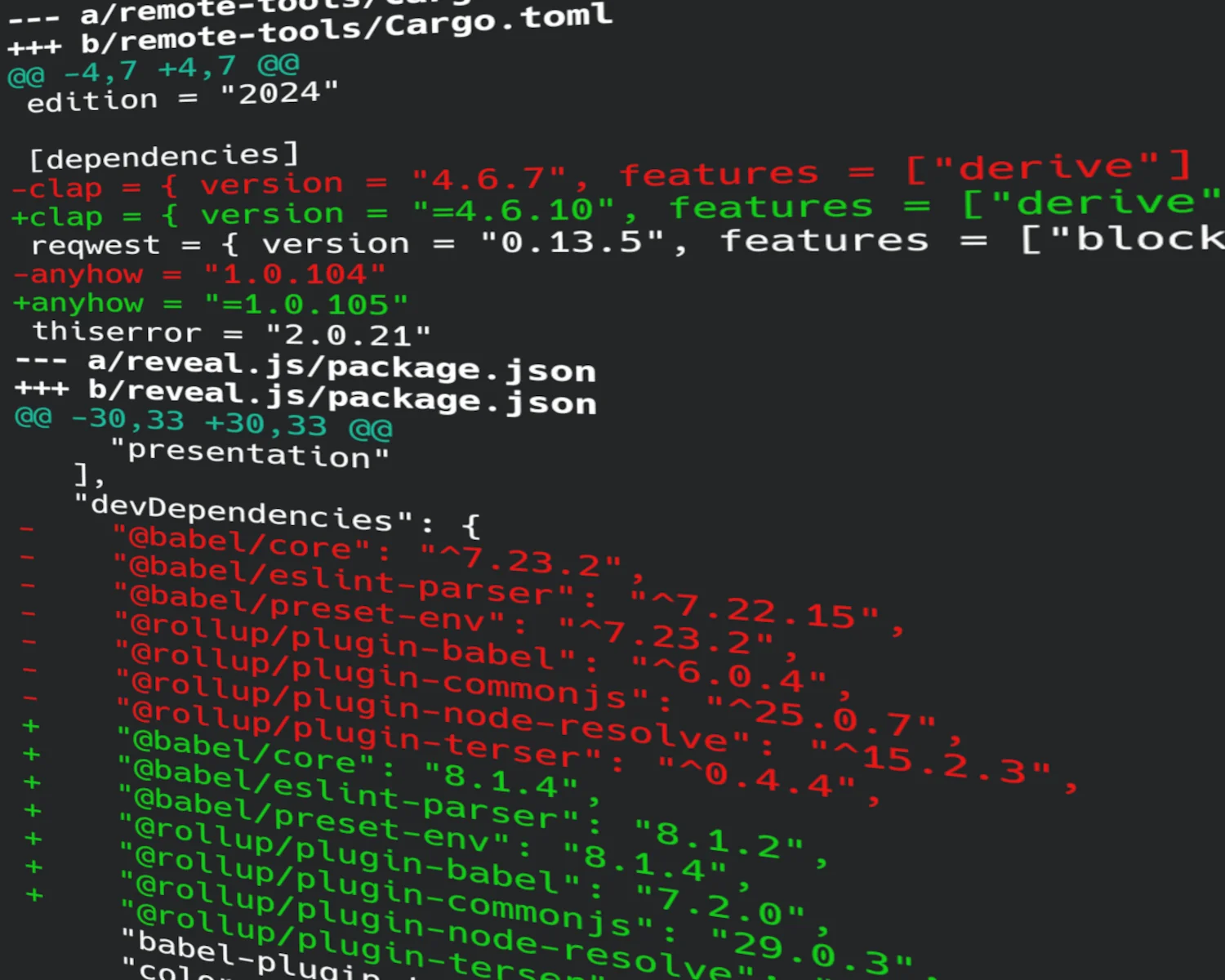
Wullie is a CLI tool that you can throw at a folder full of projects, and it will generate a unified diff of every out-of-date dependency across all of them, for Rust, Python and JavaScript.
Wullie pins your out-of-date dependencies to exactly the most up-to-date version, to address the "hieroglyphics" problem. Dependency management becomes a deliberate, conscious, task.
What it does
--- a/Cargo.toml
+++ b/Cargo.toml
@@ -4,5 +4,5 @@
 edition = "2024"
 [dependencies]
-serde = "1.0"
-tokio = { version = "1", features = ["full"] }
+serde = "=1.0.229"
+tokio = { version = "=1.54.1", features = ["full"] }
--- a/api/pyproject.toml
+++ b/api/pyproject.toml
@@ -2,6 +2,6 @@
 name = "api"
 version = "0.1.0"
 dependencies = [
-    "fastapi>=0.100",
-    "httpx~=0.24",
+    "fastapi==0.165.0",
+    "httpx==0.29.0",
 ]
Because it's a plain diff on stdout, the rest of your normal tooling just works. From the root of a git repository, you can pipe it straight in.
wullie | git apply
git diff
Getting Wullie
This is the first time, in a long time, that I've really got stuck into build automation.
It initially started as just
source code on a forge
,
git clone; cargo run
and you're more or less there.
Then I got it up on
crates.io
, so it's just a
cargo install
away.
I hooked up some GitHub Action runners to build some binary tarballs, making
cargo binstall
possible.
And then I got carried away!
I managed to turn it into a
.deb
package with man pages and shell completions, wrap that all up in a mini apt repository and now here it is!
curl -fsSL https://wullie.mikecoats.xyz/apt/setup.sh | sudo sh
sudo apt update && sudo apt install wullie
On Debian 12 or later, or Ubuntu 22.04 or later, on amd64 or arm64, you can install it from
Wullie's apt repository
.
The setup script adds the repository and its signing key, and then apt keeps Wullie up to date along with the rest of your system.
If you'd rather not pipe a script into
sudo
, and I wouldn't blame you, the reveal on that apt page explains exactly what the script does.
Licensing
Wullie is free software, released under the terms of the GNU General Public License version 3 or later . The source is available from my repo on GitHub , and the usage guide covers everything in a bit more detail.
If you give it a go, I'd love to hear how you get on, and especially about any manifests that leave Wullie scratching his head.
Happy gardening!
2026-11-28